
Choosing the right image format is just as important as choosing the right image size. Using the wrong format can lead to blurry visuals, large file sizes, poor transparency, or even rejected uploads. SVG, JPG, and PNG are the most commonly used formats on the web, but each serves a very different purpose. Understanding when to use each one—and how to resize them correctly—helps maintain quality while meeting platform requirements.
When to Use SVG Images
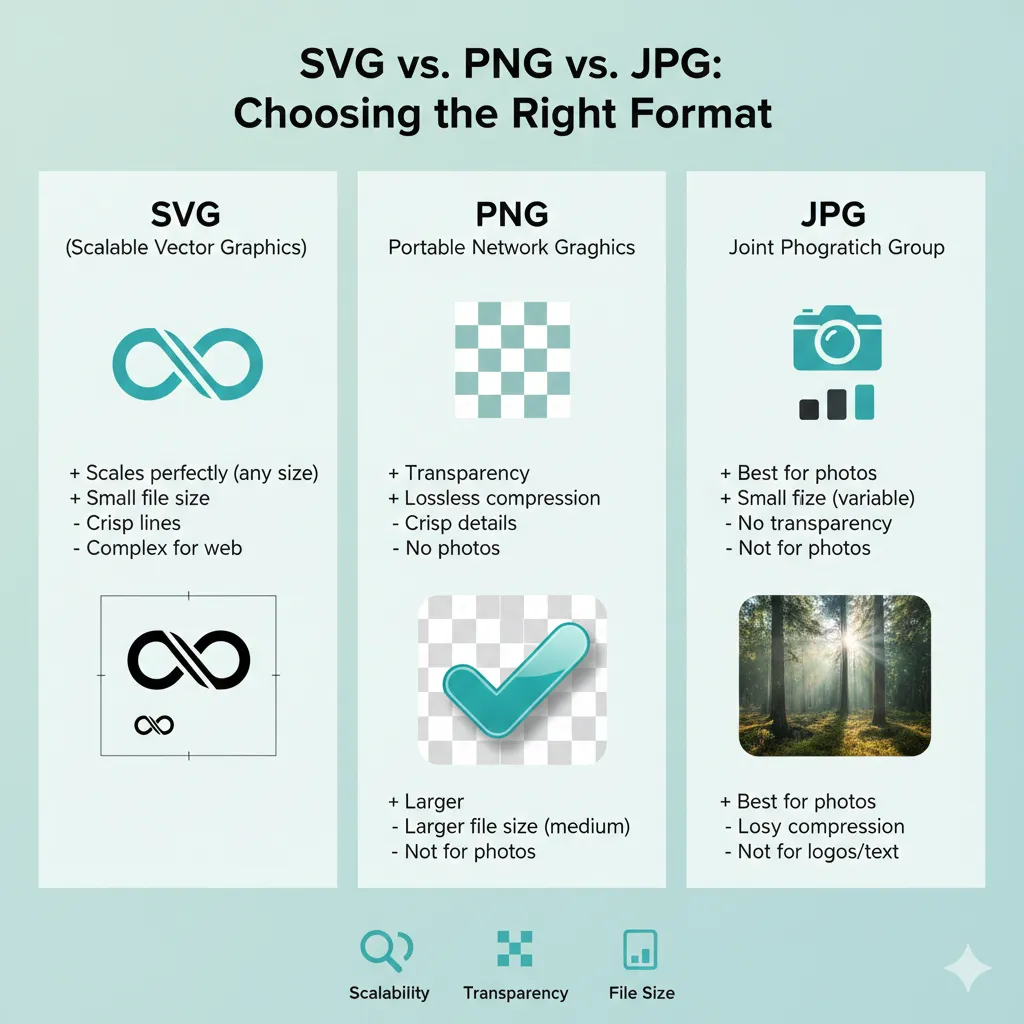
SVG (Scalable Vector Graphics) is best used for logos, icons, illustrations, and simple graphics. Unlike JPG or PNG, SVG images are vector-based, meaning they are created using mathematical paths instead of pixels. This allows them to scale infinitely without losing quality, whether they’re displayed on a small mobile screen or a large billboard.
SVG is ideal for brand logos, UI icons, charts, and line-based illustrations because it always stays sharp and usually has a very small file size. Another advantage is that SVGs can be styled with CSS and animated, making them perfect for modern websites.
When resizing SVG images, quality loss is not a concern because they are resolution-independent. However, resizing may still be necessary when exporting SVGs into fixed-size formats like PNG or JPG for documents or printing. Online resizing tools help convert SVGs into exact dimensions while preserving clarity.
When to Use PNG Images
PNG is the best choice when you need transparency or sharp edges. It supports transparent backgrounds, which makes it perfect for product images, logos with backgrounds removed, screenshots, and UI elements. PNG uses lossless compression, meaning image quality remains intact even after saving multiple times.
Because PNG files store more data than JPGs, they tend to be larger in size. This makes resizing especially important when using PNGs for web uploads, emails, or documents. Reducing pixel dimensions while maintaining aspect ratio helps control file size without introducing blur or compression artifacts.
For print and document use, PNG images often need to match specific physical dimensions. Resizing PNGs to standard photo or document sizes such as 3×5 inches (https://imgresizers.com/image-to-3x5) or 3.24×4.25 inches (https://imgresizers.com/image-to-3-24x4-25) ensures compatibility with official uploads and printing requirements.
When to Use JPG Images
JPG (or JPEG) is the most widely used image format for photographs. It uses lossy compression, which significantly reduces file size by removing less noticeable visual data. This makes JPG ideal for photos, backgrounds, banners, and images where minor quality loss is acceptable.
JPG does not support transparency, so it’s not suitable for logos or graphics that require clear backgrounds. However, for photographs, it strikes the best balance between quality and file size, making it perfect for websites, social media, email attachments, and digital portfolios.
When resizing JPG images, avoid enlarging them beyond their original size, as this causes visible blur and pixelation. Instead, resize JPGs downward for better performance and cleaner visuals. For printing photos, resizing JPGs to standard print sizes like 4×6 inches (https://imgresizers.com/image-to-4x6), 5×7 inches (https://imgresizers.com/image-to-5x7), 5×8 inches (https://imgresizers.com/image-to-5x8), or 6×4 inches (https://imgresizers.com/image-to-6x4) at 300 DPI ensures sharp, professional results.
Resizing Tips for Each Image Format
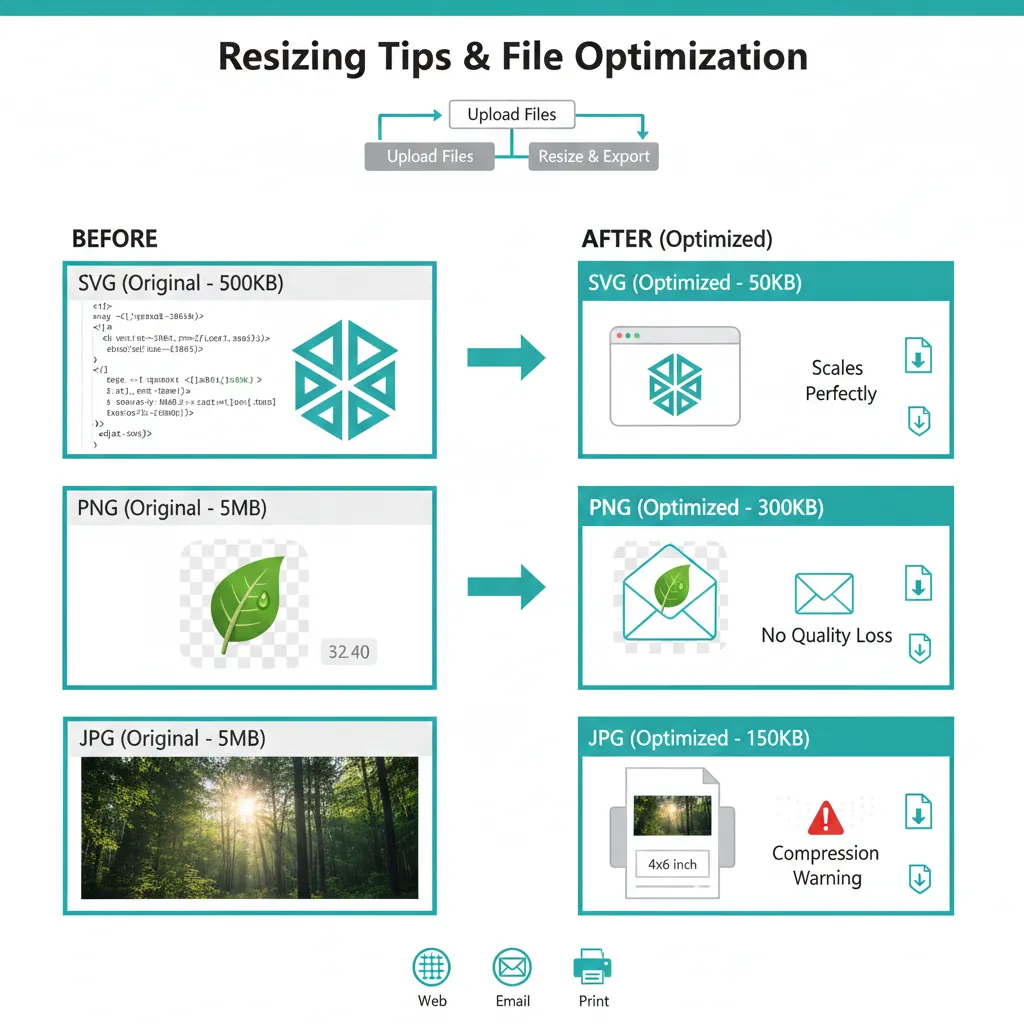
SVG images can be resized freely without quality loss, but if you’re exporting them into raster formats, always choose the final size carefully to avoid unnecessary scaling later. PNG images should be resized thoughtfully to reduce file size while preserving transparency and sharp edges. JPG images should be resized primarily to reduce dimensions and file size, not to upscale, as upscaling leads to quality degradation.
Online resizing tools make this process easier by allowing you to resize images to exact dimensions without manually calculating pixels, DPI, or aspect ratios. This ensures your images meet platform requirements without distortion or rejection.
Final Thoughts
There is no single “best” image format—only the right format for the right use case. SVG is perfect for logos and icons that need infinite scalability. PNG works best for transparent images and sharp graphics. JPG is ideal for photos where smaller file size matters.


