Image Resize to 1200x675 Dimensions

Download perfect 1200×675 size images for digital use

To resize image for 1200 x 675 pixels
add-image CHOOSE FILE

or drop your file here

Multiple Upload System
The tool allows you to upload images from multiple sources without any hassle. You can select files directly from your device using a simple upload option or drag and drop. It also supports importing images from cloud storage like Google Drive or Dropbox. This eliminates the need to download files before editing them.
Precision Dimension & Unit Control
You can download the exact size of your image as 1200×675 or use different measurement units. The tool supports pixels, inches, centimeters, and millimeters for better usability. Switching between units is instant and does not require manual calculations.
Adjustable DPI for Different Outputs
The tool gives you control over DPI settings to match your output needs. You can select lower DPI values for web use to keep file sizes smaller. Higher DPI options are available for print-quality images with better detail. This flexibility helps you optimize images based on where they will be used.
Multiple Resize Types
The resizer provides different ways to fit your image into the 1200×675 frame. You can stretch the image to fill the entire space if needed. Alternatively, you can maintain the original proportions using fit options. Background blur or color fill can be applied to handle empty areas creatively. These options help you avoid distortion or cropping important parts.
Quality & Format Optimization
You can control the quality level of your image using a simple adjustment option. Higher quality keeps more details, while lower quality reduces file size. This is useful for optimizing images for faster loading or storage. The tool also supports multiple formats like JPG, PNG, and WebP. Each format is processed efficiently for the best results.
Fast, Secure & Cross-Device Performance
The tool is designed to deliver results within seconds, even for large images. It works seamlessly across desktops, tablets, and mobile devices. There is no need to install any software or plugins. Your images are processed in a secure environment and not stored permanently. This ensures complete privacy and data safety.
how to image

Steps to Resize Image to 1200x675 Dimensions

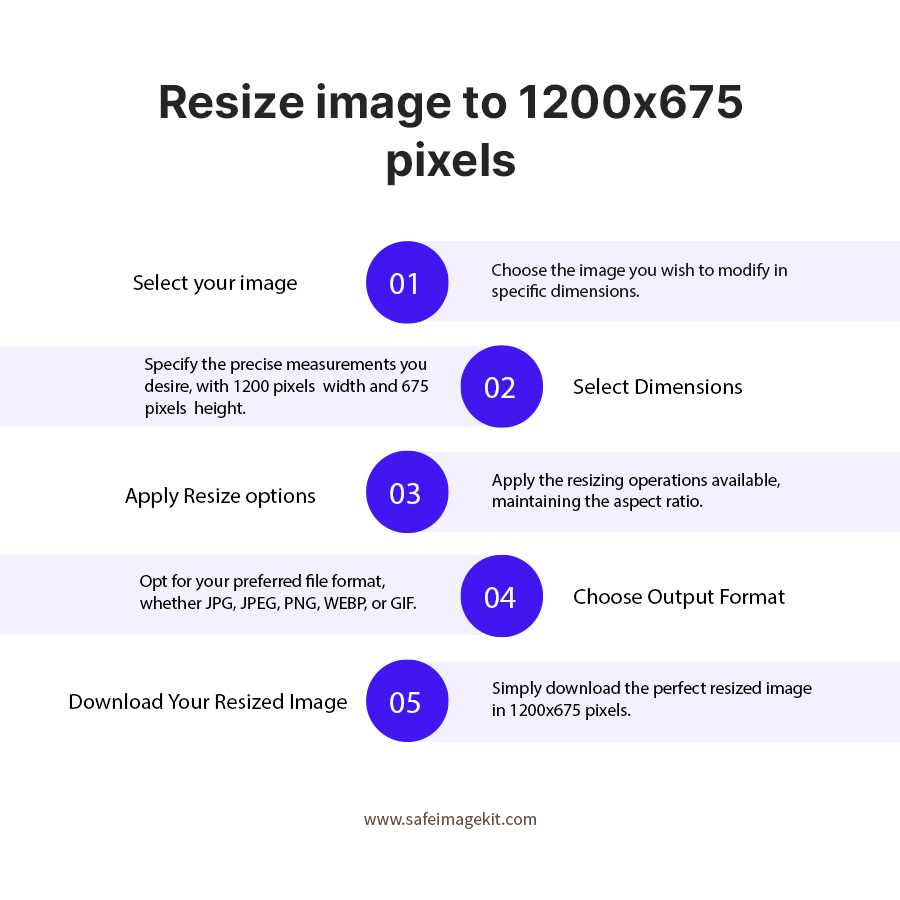
  1. 1.Upload an image from the available options.
  2. 2.Choose units and the resize type you want to use.
  3. 3.Adjust the quality settings and specify DPI if needed.
  4. 4.Choose the output format for your image.
  5. 5.Click "Download" to save the resized image in 1200x675.
  6. 6.You can also fine-tune the dimensions as needed.

FAQ's

What does resizing an image to 1200×675 actually do?

It adjusts the image dimensions to a fixed width of 1200 and a height of 675. This creates a 16:9 aspect ratio, which is widely used in digital media. It ensures your image fits perfectly on screens without distortion.

Why is 1200×675 considered a standard size?

This size matches the popular 16:9 ratio used in videos and digital displays. It works well for social media, websites, and presentations. It provides a clean and professional appearance.

Can I resize images without cropping?

Yes, you can use fit options to preserve the entire image. Background fill methods help adjust the size without cutting important parts.

What types of images can I resize?

You can resize photos, screenshots, graphics, banners, and more. The tool supports most common image formats.

What unit options are available?

You can use pixels, inches, centimeters, or millimeters. This allows flexibility for different types of projects.

What is DPI, and why should I use it?

DPI determines how detailed an image appears, especially in print. Higher DPI results in sharper images.

Which DPI is best for online images?

For digital use, 72 or 96 DPI is usually enough. It keeps file sizes smaller and loads faster.

What happens if I stretch my image?

Stretching forces the image to fill the entire frame. This may slightly distort the proportions.

How do fit options improve results?

Fit options maintain the original proportions of the image. They prevent distortion and keep the image natural.

What is background blur mode?

It fills empty space with a blurred version of the image. This creates a smooth and visually appealing background.

What is background color mode?

It fills empty areas with a solid color of your choice. This is useful for branding or clean designs.

Can I control image file size?

Yes, you can reduce file size by lowering the quality setting. This helps with faster uploads.

Does higher quality always mean better results?

Higher quality preserves more details but increases file size. The best setting depends on your needs.

Is WebP better than JPG or PNG?

WebP offers better compression with good quality. It is ideal for modern web use.

Can I resize large images easily?

Yes, the tool is optimized to handle large files quickly. Performance depends on your device.

Can I use it on mobile devices?

Yes, it is fully responsive and works on smartphones and tablets.

Can I preview before downloading?

Yes, you can check the final output before saving it.

Can I resize images multiple times?

Yes, you can re-upload and adjust settings as many times as needed. If you want to resize bulk images to 1200x675, visit https://imgresizers.com/multiimage.

Can I use this for social media posts?

Yes, 1200×675 is widely used for social media and web sharing. You can further visit https://imgresizers.com/social-media for resizing images on different social media platforms.

rating-img
Rate this tool
3.88/5   81 votes

Other useful information

About The Author

Lakshmi Badige

Lakshmi Badige is a skilled content writer with expertise in creating engaging content for SaaS companies. From blog posts and case studies to website copy, Lakshmi focuses on delivering content that attracts customers, builds trust, and drives results. With experience in SEO and content strategy, ensures every piece of content is optimized for both readers and search engines.

Contributors